







Your secure client area
Here you can safely access and manage all your investments in one place.
Brooks Macdonald clients
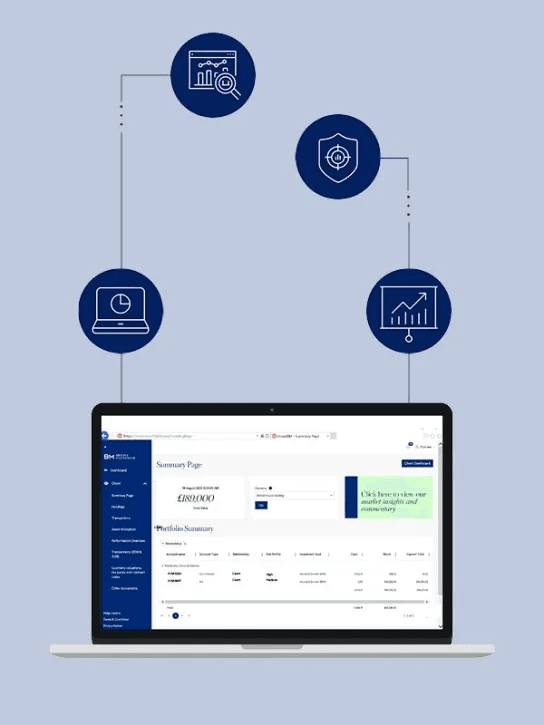
Access your portfolio anytime, anywhere
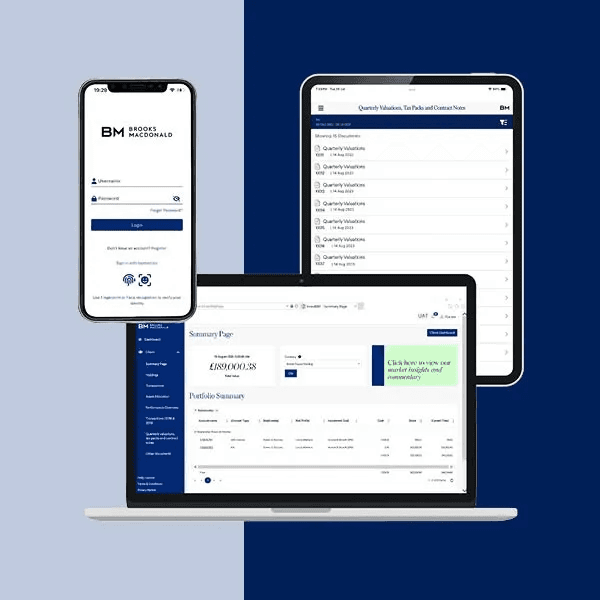
View and manage your investments online with InvestBM, our convenient and secure online portal. Plus, our mobile app now brings the InvestBM experience to your pocket.
Not registered?
Use the form to register and a member of team will be in touch shortly.
Get the Brooks Macdonald mobile app
Our app brings your InvestBM experience to mobile, giving you secure access to your Brooks Macdonald portfolios, anytime, anywhere.


Brooks Financial clients
Get the Brooks Macdonald mobile app
Our app brings your InvestBM experience to mobile, giving you secure access to your Brooks Macdonald portfolios, anytime, anywhere.
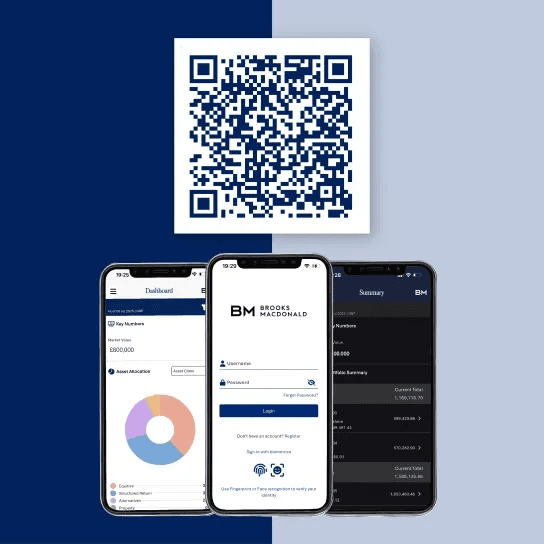
Exclusively for Brooks Macdonald clients, the app mirrors your InvestBM portal in a streamlined, mobile format, designed for clarity, convenience, and peace of mind.
Your portfolio in your pocket
- View total market value and all your linked Brooks Macdonald portfolios
- See asset allocation and diversification at a glance
- Track performance over time with clear, interactive charts
- Access documents such as tax packs, valuations and contract notes
- Explore detailed holdings and transactions line by line
- Switch to dark mode for comfortable, low-light viewing
- Log in quickly and securely using Face ID or fingerprint recognition
Questions and answers
Take a look through our most commonly asked questions for support with some of the main features of InvestBM.
Need more help with the mobile app?
The app is for clients whose assets are held in custody with Brooks Macdonald, as well as IFAs and paraplanners.
Forgotten username: For the majority of our users, your username is the email address that you have registered with Brooks Macdonald. If this does not work, please get in touch with our dedicated support team on [email protected] or call +44 (0)808 281 1069.
Forgotten password: Visit www.InvestBM.com and click ‘forgot password?’. For the majority of our users, your username is the email address that you have registered with Brooks Macdonald.
Please get in touch with our dedicated support team on [email protected] or call +44 (0)808 281 1069. We will liaise with your contact at Brooks Macdonald to provide you with access.
Yes. We now have the functionality to send one-time passcodes via SMS. Please get in touch with our dedicated support team on [email protected] or call +44 (0)808 281 1069 to switch to SMS.
Yes – each time you log in, you will be sent a new OTP. This is intentional and is a second layer of security.
When you log in, you will see a ‘documents’ section listed in the left-hand navigation panel. Click here and select the required account from the account dropdown list (there is also an ‘all’ selection). If you do not see the ‘documents’ section, click on ‘client’.
You will need to download the Brooks Macdonald app from the Apple App Store or Google Play Store.
You will also need your InvestBM user ID and password. If you already have these, you can log straight into the app.
If you have not yet received your InvestBM user ID, please register via the InvestBM Registration Form. Our dedicated support team will arrange access and send your credentials to you via email.
Need more help with the mobile app?
You will be able to view the following:
- Portfolio summary and values as at the previous working day
- Dashboard with asset allocation, top and bottom holdings and account summary
- Individual holdings
- Transactions
- Performance overview
- Quarterly valuations, tax packs and contract notes
- Other documents
Need more help with the mobile app?
Still need help?
Contact us
Contact our dedicated support team at [email protected] or call +44 (0)808 281 1069 and they will be able to assist.
Register
Use the form to register and a member of team will be in touch with your details.